
Structural Steel Software with Weighted BOM
2D & 3D Structural Drafting for Steel Design
Mech-Q Structural is a professional structural steel shapes software module designed for accurate 2D and 3D steel drafting. It runs inside AutoCAD-compatible CAD platforms and is also included with our standalone CAD solution, AViCAD.
The software enables engineers and drafters to create precise structural steel drawings using industry-standard steel shapes and automatically generates weighted Bills of Materials (BOMs) for fabrication and construction.
Built by engineers for engineers, Mech-Q Structural simplifies the creation of beams, columns, connections, stairs, ladders, bracing, and frames—without the complexity, cost, or learning curve of large, top-heavy structural systems.

Why Choose Mech-Q Structural?
Unlike bloated structural software that requires weeks of training, Mech-Q Structural is designed to match how structural drawings are designed to draw the way you already work.
- Near-zero learning curve with dialog-driven tools
- Standard CAD objects — drawings can be shared with anyone
- Fully customizable layers, sizes, and annotations
- Fast, consistent output for fabrication and construction
- Affordable licensing without forced subscriptions
Mech-Q integrates directly into your existing CAD menus, ribbons, toolbars, or runs standalone inside AViCAD.
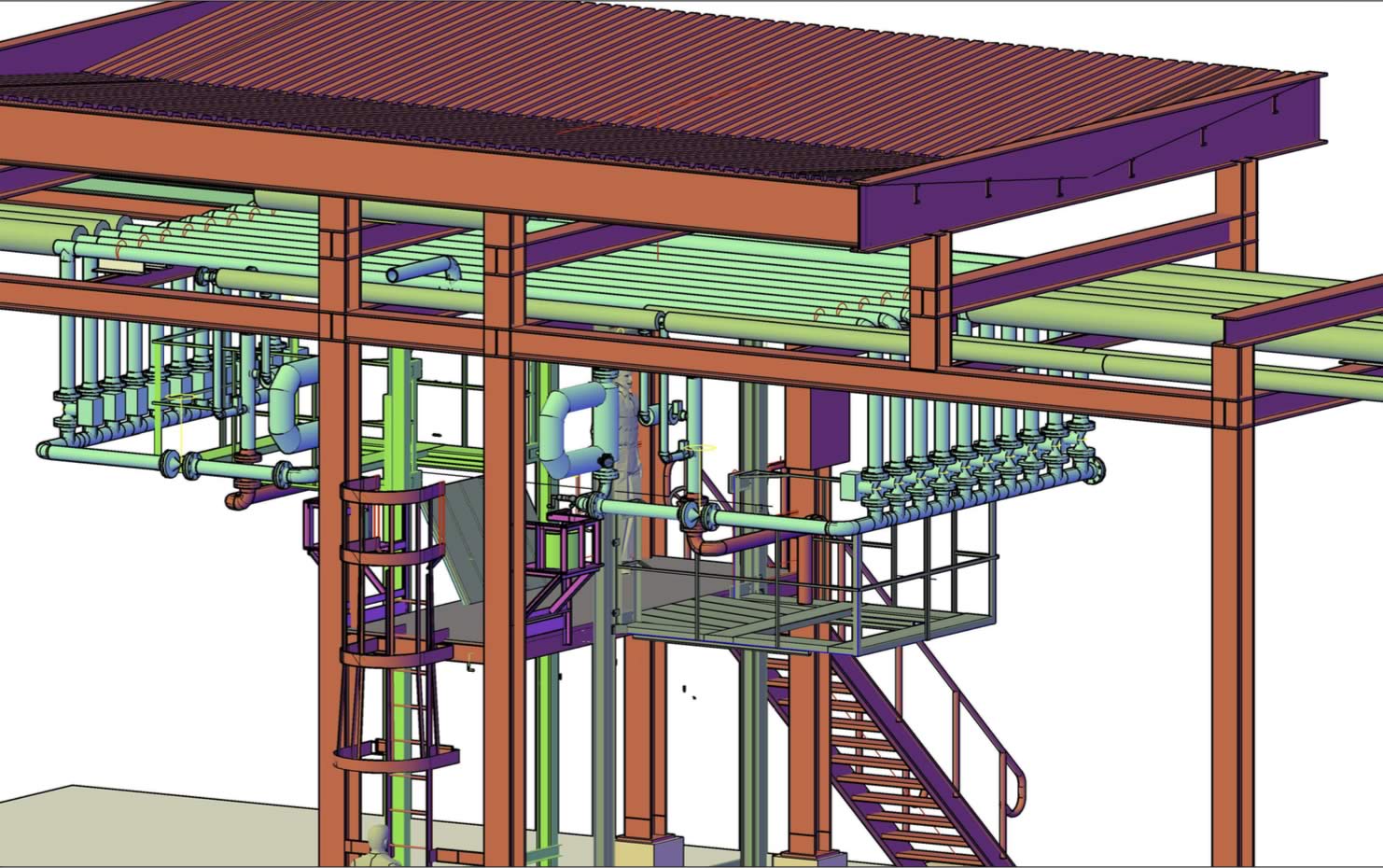
Why Choose Mech-Q Structural?
Unlike bloated structural software that requires weeks of training, Mech-Q Structural is designed to match how structural drawings are created in real-world CAD environments.
- Near-zero learning curve with dialog-driven tools
- Uses standard CAD objects — drawings can be shared with anyone
- Fully customizable layers, sizes, and annotations
- Fast, consistent output for fabrication and construction
- Affordable licensing with no forced long-term subscriptions
Mech-Q integrates directly into existing CAD menus, ribbons, and toolbars, or runs standalone inside AViCAD.
Structural Steel Shapes Built for Production Drafting
At the core of Mech-Q Structural is a comprehensive structural steel shapes library built for production-ready drafting. Engineers can draft steel beams and members using predefined, standards-based steel sections—ensuring accuracy, consistency, and reliable material quantities.
Unlike generic CAD blocks, Mech-Q steel shapes behave as intelligent structural objects. As you draw, the software automatically tracks weights, sizes, and quantities, producing accurate schedules and BOMs without manual calculations.
Core Capabilities
2D & 3D Structural Drafting
- Beams, columns, frames, and miscellaneous steel
- Plan, elevation, and end views
- Curved beam options supported
Weighted Auto-BOM
- Fully customizable weighted Bills of Materials
- Pick-and-match data listing
- Automatic totals and reporting
Metric & Imperial Units
- Supports both Metric and English (Imperial) workflows
Structural Steel Shapes Supported
Mech-Q Structural includes an extensive library of standard structural steel shapes used worldwide, allowing you to draft beams and members without building custom profiles from scratch.
Metric Standards
- Australian (BHP)
- European (DIN)
- British Standard (BS)
- Canadian (CISC)
- South African (RSA)
- Japanese (JIS)
- Indian (IS)
- Chinese
Imperial Standards
- US (AISC / ASTM)
- Canadian (CISC)
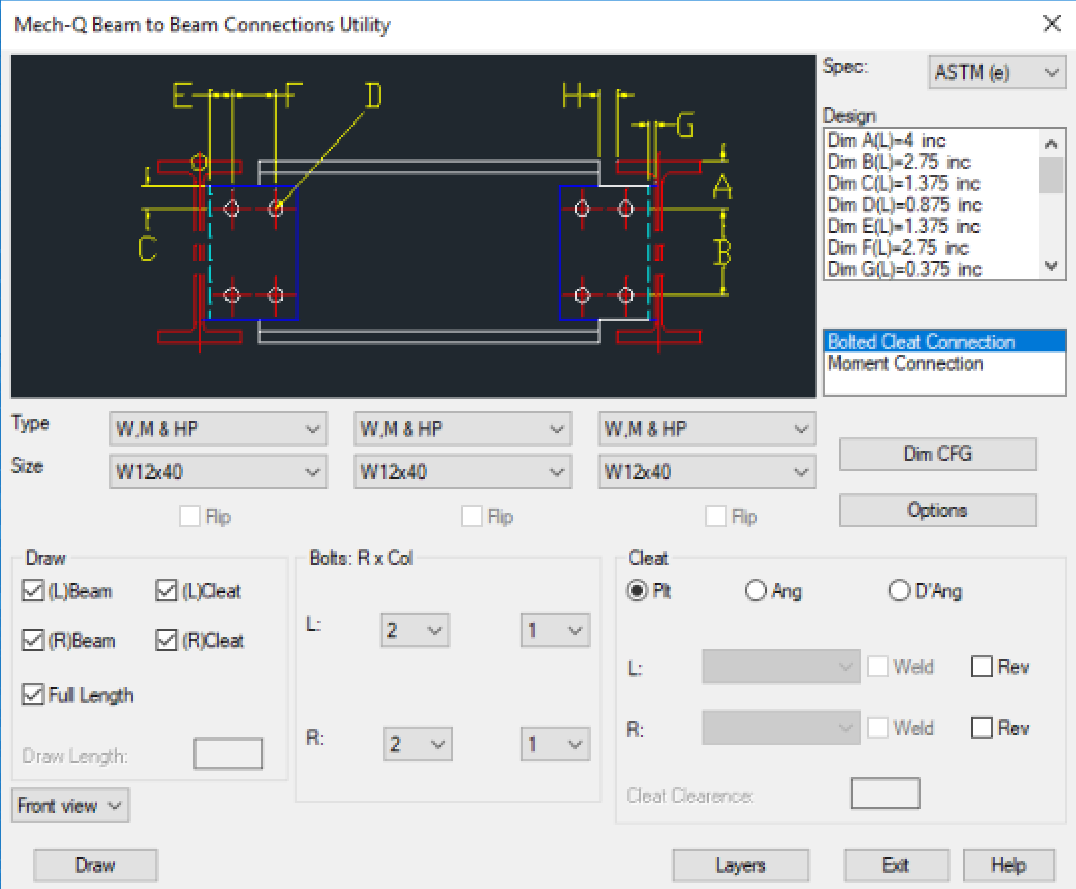
Structural Utilities Included
Steel Shapes & Beams
- 2D & 3D beam creation
- Automated annotation
- Weighted BOM generation
- Customizable layers and sizes
Structural Bracing
- Welded, bolted, or cleated bracing
- Simple 4-step workflow
- Fully customizable sizes and layers
Structural Stairs
- Single-flight and multi-flight stairs
- Plan, front, and end views
- Auto-handrailing
- Stringer detailing with auto-dimensioning
- Concrete pan stair treads are supported
- Safety-based configuration constraints built in
Ladders
- Step-thru and side-step ladders
- Safety cages
- Fabrication detailing with auto-dimensions
- Fully configurable design parameters
Structural Handrailing
- Welded, Monowills, square tube
- Steel or aluminum
- Multiple stanchion types
- Plan, elevation, and detail views
- Kick plates and closure options
Structural Welded Frames
- Square or beveled corners
- Plan and end views
- Auto-dimensioned fabrication output
Welding Symbols
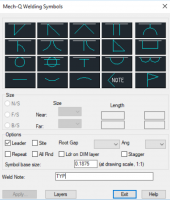
- Fillet, bevel, V-butt, square-butt, U-butt, J-butt
- Plug, spot, seam, stud, surface welding
- Configurable layers, sizes, leaders, and notes
Beam Design Module
Mech-Q Structural includes a built-in beam design and analysis utility for common structural scenarios.
Supported beam types:
- Simple support
- Cantilever
- Propped cantilever
- Built-in
Outputs include:
- Reactions at supports
- Stress and deflection plots
- Printed results
- Minimum steel section recommendations
Designed for Collaboration
- Drawings export cleanly to all AutoCAD versions
- Share files with contractors and clients — no Mech-Q required
- Consistent output across teams and offices
- Ideal for industrial, commercial, and infrastructure projects
Compatible CAD Platforms
Mech-Q Structural runs inside:
- AutoCAD® (including LT workflows)
- BricsCAD
- IntelliCAD-based CAD platforms
- AViCAD (standalone CAD + Mech-Q + AEC bundle)
Part of the Mech-Q Engineering Suite
Mech-Q Structural is one of several engineering modules available individually or as part of the full Mech-Q Suite:
- Piping
- HVAC Ducting
- Structural
- Mechanical
For multi-user offices, a Mech-Q Network Module is also available.
Real-World Structural Drawings & Feedback
See sample drawings and read how engineering teams are using Mech-Q Structural in real projects.
View Structural Drawing Samples & Testimonials
Structural Training & Workflow Videos
Watch short videos showing how to create beams, stairs, bracing, and connections using Mech-Q Structural.
Browse Structural Training Videos
Try It Risk-Free
Download a 30-day free trial and see how Mech-Q Structural simplifies steel drafting, detailing, and reporting — without long-term commitments or unnecessary complexity.